> ## Documentation Index
> Fetch the complete documentation index at: https://mintlify.com/ahmadawais/ramadan-cli/llms.txt
> Use this file to discover all available pages before exploring further.
# Introduction
> Ramadan-first CLI for Sehar and Iftar timings anywhere in the world with automatic location detection
 # Ramadan CLI
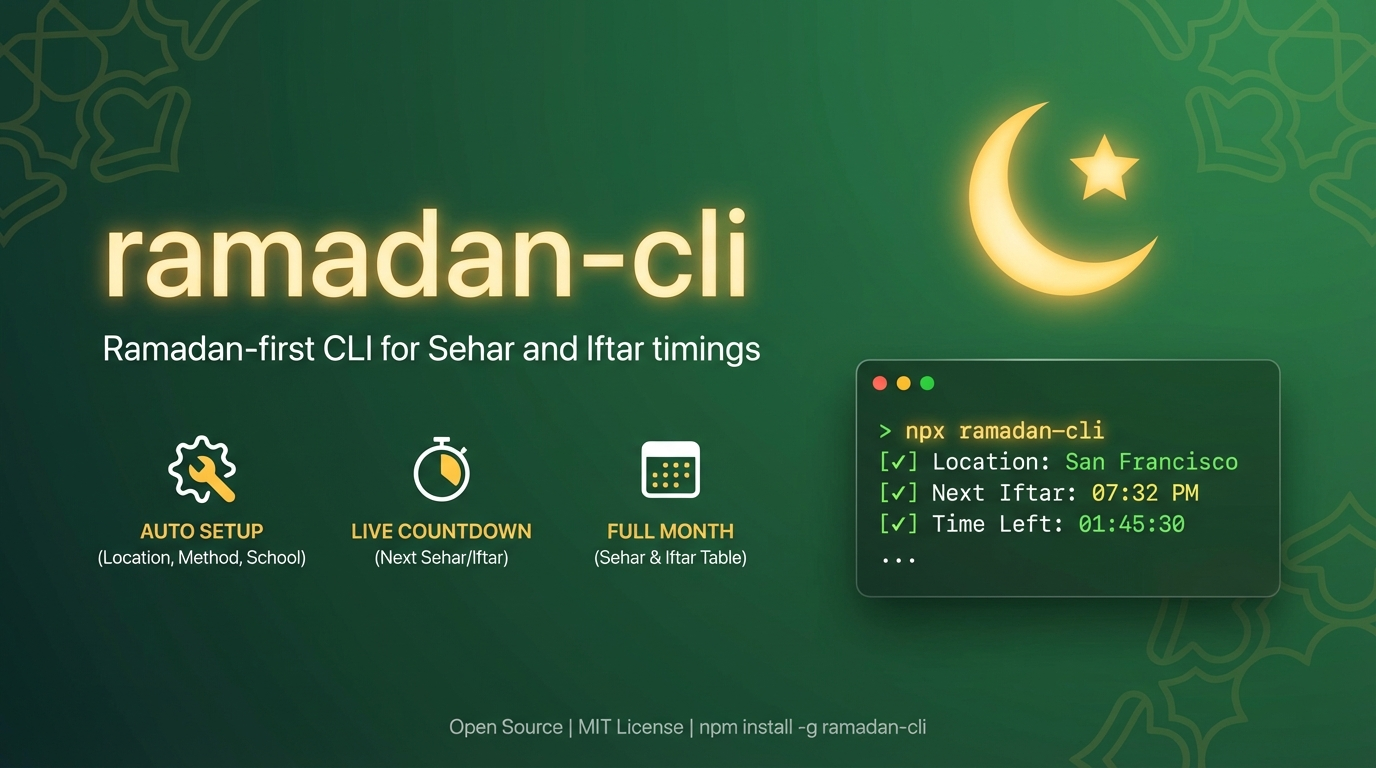
A Ramadan-focused command-line tool that brings Sehar and Iftar timings directly to your terminal. Built for developers, agents, and anyone who wants quick access to prayer times during Ramadan.
Get up and running in 30 seconds
Install with npm, yarn, pnpm, or bun
Complete command documentation
Customize your settings
## Why Ramadan CLI?
Ramadan CLI is designed to make checking Sehar and Iftar times effortless, with smart defaults and powerful features.
Unlike general prayer time apps, Ramadan CLI focuses exclusively on what matters during Ramadan: Sehar (Fajr) and Iftar (Maghrib) times. Clean, focused output without extra noise.
No manual setup required. The CLI automatically detects your location using IP-based geolocation with multiple fallback providers for reliability.
Automatically recommends the most appropriate calculation method and Asr school based on your country. For example, users in Pakistan get the Karachi method, while North American users get ISNA.
See exactly how much time until your next Sehar or Iftar, with automatic timezone detection for accurate countdowns wherever you are.
Whether you need today's times, the entire month, a specific day, or a single-line status for your status bar, Ramadan CLI has you covered.
Built for both humans and AI agents with JSON output mode, status bar integration, and programmatic configuration options.
## Key Features
Interactive first-run setup detects location, timezone, and recommends optimal settings
Use `roza`, `ramadan`, `ramzan`, `ramazan`, or `ramadan-cli`
See all 30 days of Ramadan with the `--all` flag
Check any roza (1-30) with the `--number` flag
Single-line output for status bars and coding agents with `--status`
Override Ramadan start date with `--first-roza-date`
Machine-readable output with `--json` flag
Check times for any city: `ramadan-cli "San Francisco"`
Clear all config with `ramadan-cli reset`
## Quick Example
```bash theme={null}
# Show today's Sehar and Iftar times
roza
# Show full Ramadan month for San Francisco
roza "San Francisco" --all
# Check specific roza day
roza --number 15
# Status bar mode (next event only)
roza --status
```
**Sehar = Fajr** and **Iftar = Maghrib**. Times are displayed in 12-hour format (AM/PM).
## What You'll Get
When you run Ramadan CLI, you'll see:
* **Current status**: Whether it's Sehar time, fasting hours, or Iftar time
* **Next event**: What's coming next (Sehar or Iftar)
* **Countdown**: Exact time remaining until the next event
* **Prayer times**: Sehar and Iftar times in an easy-to-read table
* **Hijri dates**: Islamic calendar dates alongside Gregorian dates
## Built For
Terminal-first workflow with powerful CLI flags and JSON output
Works anywhere with automatic location and timezone detection
Single-line mode perfect for tmux, i3bar, or any status bar
Structured output and programmatic configuration for automation
## Next Steps
Choose your preferred package manager and install Ramadan CLI globally or run with npx
[Go to Installation →](/installation)
Run your first command and complete the interactive setup
[Go to Quick Start →](/quickstart)
Learn about all available commands and configuration options
[Go to CLI Reference →](/usage/commands)
***
Ramadan CLI is powered by the [Aladhan Prayer Times API](https://aladhan.com/prayer-times-api) and supports 24 different calculation methods used worldwide.
# Ramadan CLI
A Ramadan-focused command-line tool that brings Sehar and Iftar timings directly to your terminal. Built for developers, agents, and anyone who wants quick access to prayer times during Ramadan.
Get up and running in 30 seconds
Install with npm, yarn, pnpm, or bun
Complete command documentation
Customize your settings
## Why Ramadan CLI?
Ramadan CLI is designed to make checking Sehar and Iftar times effortless, with smart defaults and powerful features.
Unlike general prayer time apps, Ramadan CLI focuses exclusively on what matters during Ramadan: Sehar (Fajr) and Iftar (Maghrib) times. Clean, focused output without extra noise.
No manual setup required. The CLI automatically detects your location using IP-based geolocation with multiple fallback providers for reliability.
Automatically recommends the most appropriate calculation method and Asr school based on your country. For example, users in Pakistan get the Karachi method, while North American users get ISNA.
See exactly how much time until your next Sehar or Iftar, with automatic timezone detection for accurate countdowns wherever you are.
Whether you need today's times, the entire month, a specific day, or a single-line status for your status bar, Ramadan CLI has you covered.
Built for both humans and AI agents with JSON output mode, status bar integration, and programmatic configuration options.
## Key Features
Interactive first-run setup detects location, timezone, and recommends optimal settings
Use `roza`, `ramadan`, `ramzan`, `ramazan`, or `ramadan-cli`
See all 30 days of Ramadan with the `--all` flag
Check any roza (1-30) with the `--number` flag
Single-line output for status bars and coding agents with `--status`
Override Ramadan start date with `--first-roza-date`
Machine-readable output with `--json` flag
Check times for any city: `ramadan-cli "San Francisco"`
Clear all config with `ramadan-cli reset`
## Quick Example
```bash theme={null}
# Show today's Sehar and Iftar times
roza
# Show full Ramadan month for San Francisco
roza "San Francisco" --all
# Check specific roza day
roza --number 15
# Status bar mode (next event only)
roza --status
```
**Sehar = Fajr** and **Iftar = Maghrib**. Times are displayed in 12-hour format (AM/PM).
## What You'll Get
When you run Ramadan CLI, you'll see:
* **Current status**: Whether it's Sehar time, fasting hours, or Iftar time
* **Next event**: What's coming next (Sehar or Iftar)
* **Countdown**: Exact time remaining until the next event
* **Prayer times**: Sehar and Iftar times in an easy-to-read table
* **Hijri dates**: Islamic calendar dates alongside Gregorian dates
## Built For
Terminal-first workflow with powerful CLI flags and JSON output
Works anywhere with automatic location and timezone detection
Single-line mode perfect for tmux, i3bar, or any status bar
Structured output and programmatic configuration for automation
## Next Steps
Choose your preferred package manager and install Ramadan CLI globally or run with npx
[Go to Installation →](/installation)
Run your first command and complete the interactive setup
[Go to Quick Start →](/quickstart)
Learn about all available commands and configuration options
[Go to CLI Reference →](/usage/commands)
***
Ramadan CLI is powered by the [Aladhan Prayer Times API](https://aladhan.com/prayer-times-api) and supports 24 different calculation methods used worldwide.